
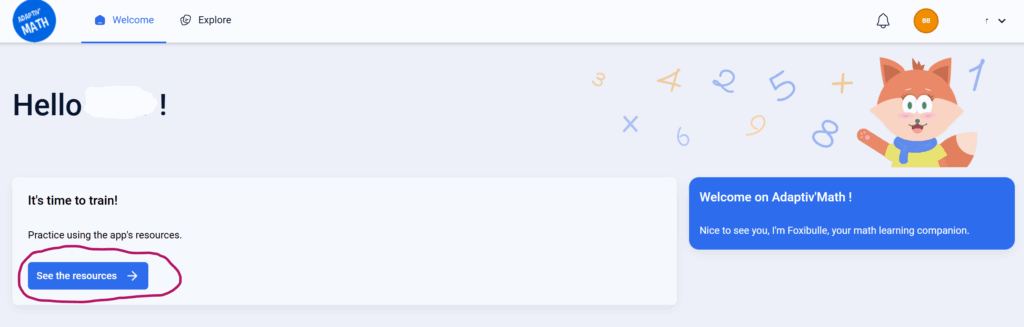
Step 1 — Open “See the resources”
On the student homepage, click the blue See the resources button to access all available activities.
Step 2 — Explore the learning resources
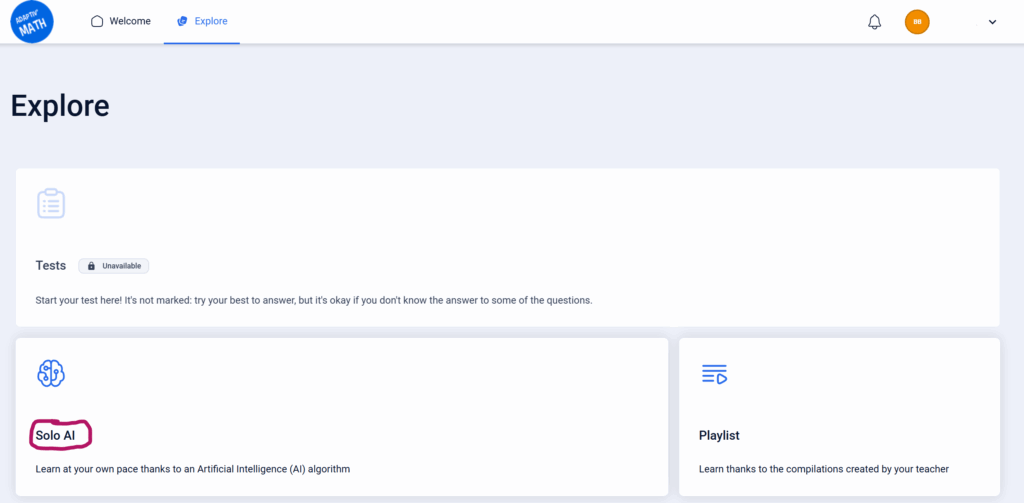
Students will enter the Explore page, which includes three sections:
- Tests — used for Pre-tests. Once finished, this section becomes unavailable.
- Solo AI — gives access to the personalized learning modules used in the RCT.
- Playlist — includes additional exercises created by the teacher (if any).
Click Solo AI to view the available modules.
Step 3 — Access the Solo AI module
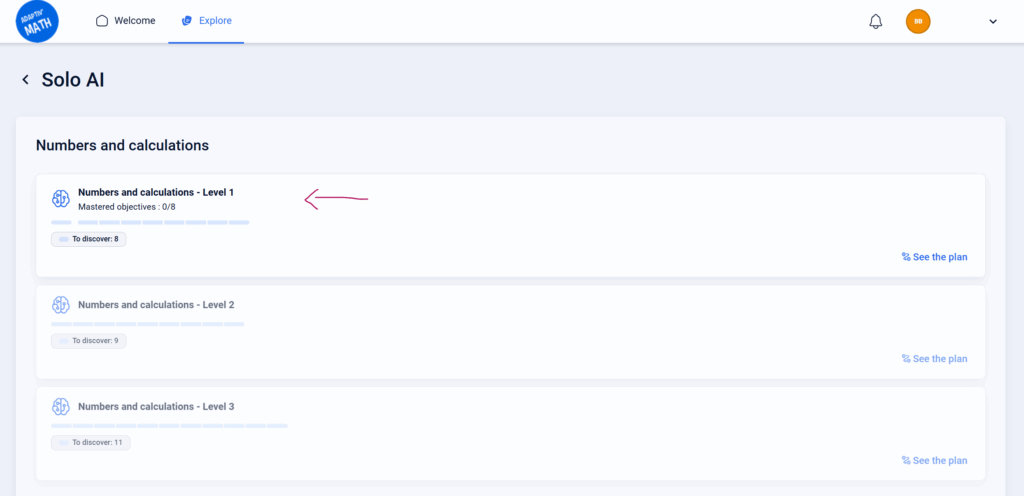
In this study, kindergarten students only have access to Numbers and calculations – Level 1.
Selecting this module will open the learning activity directly.
Need help? Our team can support your RCT setup or troubleshoot student access.
© EvidenceB